












Bringing businesses together
Microsoft 365 brings communication, collaboration, document sharing, and device security into one cloud platform. Millgate ensures your Microsoft 365 environment is aligned to how your people work and supported with best practice configuration and adoption guidance.


Breaking down tech barriers
A 2025 report published by the UK Government found that a lack of internal capability and digital skills is a cross-sector barrier to adopting transformative technologies. Such barriers can often result in:
-
Teams using tools inconsistently, leading to duplicate work and confusion.
-
Security settings that do not match hybrid working patterns.
-
Licence spend that does not reflect actual usage needs.
-
Low confidence in new features, causing a return to older ways of working.
Millgate helps organisations move from simply having Microsoft 365 to actually benefitting from it and realising a return on their Microsoft investment.
How Microsoft 365 supports businesses
Create a central space for teamwork and communication
Microsoft Teams brings messages, meetings and shared workspaces together in one place, reducing the need to switch between applications.
Support secure, reliable business email
Outlook and Exchange Online provide enterprise-grade email and scheduling with security controls built in. This ensures that communication remains consistent, professional and protected from common threats such as phishing or unauthorised access.
Store, share and govern information confidently
OneDrive and SharePoint allow teams to store documents securely, manage access rights and version control, and collaborate on the same files without duplication. Knowledge becomes easier to find, maintain and share across the organisation.
Provide productivity tools that work across devices
Word, Excel, and PowerPoint can be accessed from desktop, web and mobile, helping people work wherever they need to. This consistency reduces friction and supports quick, confident document creation and collaboration.
Manage and secure devices at scale
Intune and Endpoint Manager provide policy-based control over the devices your organisation uses. This supports a standardised, compliant device experience without introducing additional manual administration.
Protect access with strong identity governance
Entra ID (previously Azure Active Directory) manages logins, roles, and permissions across your environment. This ensures that only the right people have access to the right information, which is especially important in hybrid working environments.
Choosing the right licence plan
Microsoft 365 is available in several licence tiers designed to support different user groups and security needs. We assess how your team's work and recommend the right plan based on your needs, ensuring that individuals have the tools they need without unnecessary cost.
-
Business Basic: For colleagues who mainly need communication and file access.
-
Business Standard: For everyday users who need full desktop Office applications.
-
Business Premium: For organisations requiring enhanced security and device control (recommended)
-
E3 and E5: Enterprise-level compliance, governance and advanced threat protection.


How Millgate can help you to get the most out of your Microsoft 365 investment
- Licence alignment and optimisation
- Secure configuration and policy setup
- Structured migration planning
- Device onboarding and management
- Training and adoption support
- Ongoing performance and usage review
The business impact
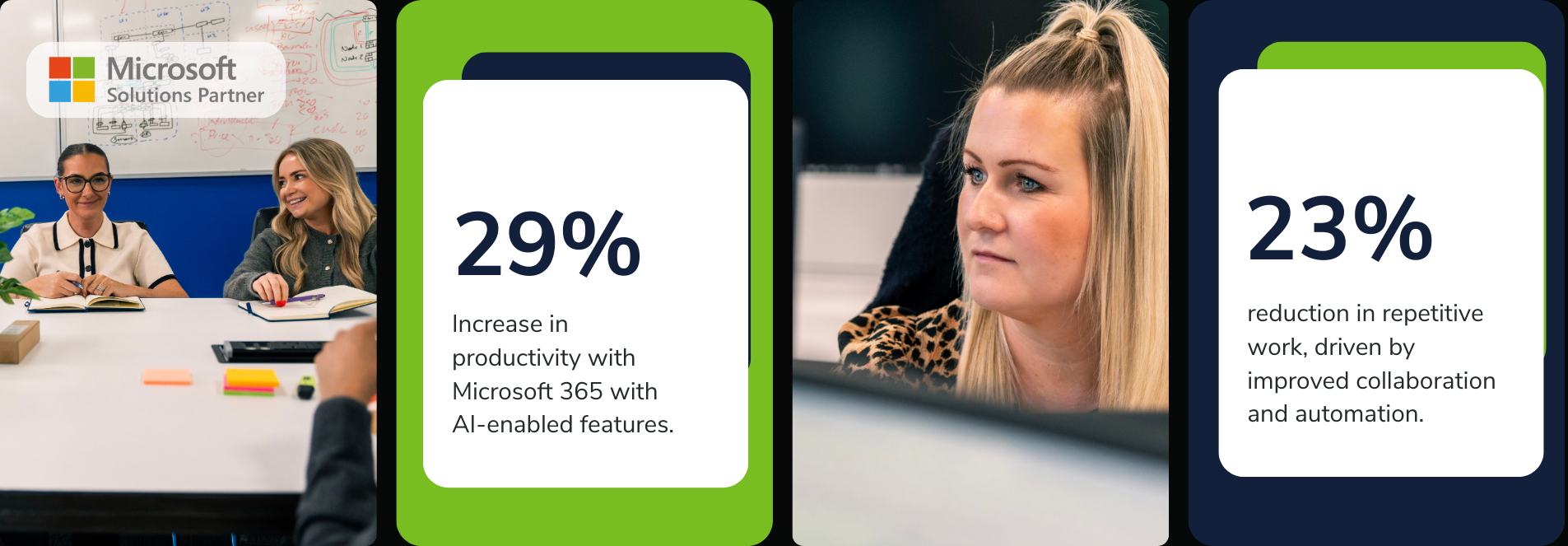
The 2024 Microsoft Work Trend Index found that organisations using Microsoft 365 with AI-enabled features achieved a 29% productivity increase and a 23% reduction in repetitive work, driven by improved collaboration and automation. Millgate ensures these gains are embedded in everyday working practices.
Book a free assessment today
Whether you’re looking to move to Microsoft 365 for the first time, or want to optimise your existing investment, Millgate can help.